Tabba 0.7.1 - Tag Filtering for Calendar and To Do Lists
Filter your calendar by tags to track projects and habits over time. Plus filtered to do lists now show completion stats on hover.


Two new visual features in this update that make it easier to see patterns in how you’re spending time, plus a few bug fixes.
We’ve hit 50 installs!
Thanks to everyone who installed Tabba! As of yesterday, we’re now sitting at 50 installs across Chrome, Brave and Firefox. It’s been a fun journey so far. We’ll be looking to add more features and improve the overall experience, as well as expanding to more browsers (like Edge) in the future. Feel free to submit a feature request if you have any ideas.
Filter your calendar by tags
You can now filter your calendar by tags.
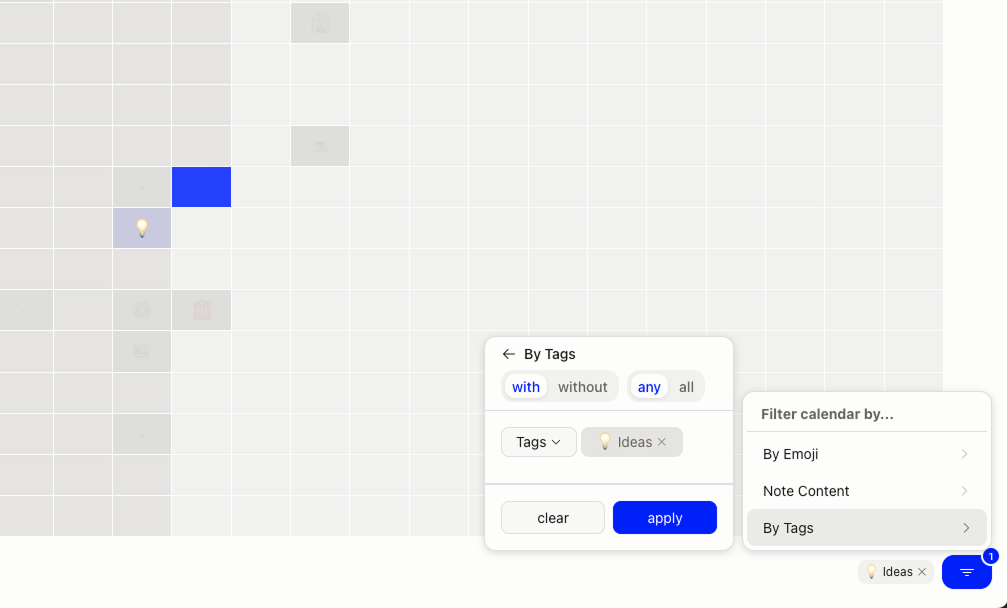
Click the filter icon in the calendar view and select which tags you want to see. The grid will highlight only the hours that contain notes with those tags, while everything else fades into the background.
This is useful if you’re tracking a specific project, client work, or personal habit across weeks or months. Instead of scanning through every note, you can isolate exactly what you’re looking for and see the pattern at a glance.
For example, if you tag client meetings with #client, filter by that tag and you’ll see when those meetings cluster throughout your week or month. Same goes for tracking writing sessions, workouts, or anything else you’re noting.
Works with single tags or multiple tags at once, as well as note text content and emoji.
Metrics for your filtered to do lists
When you hover over a filtered to do list, you’ll now see how many items are completed versus active.
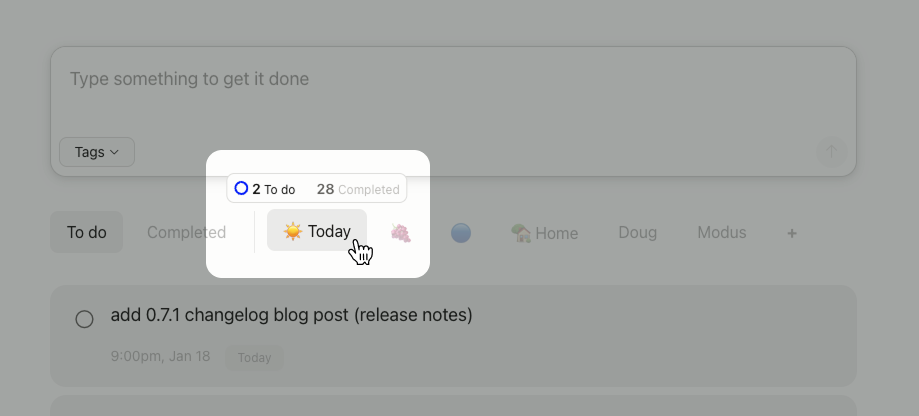
Small addition, but it gives you a quick sense of progress without opening the list. Helpful if you’re using filtered lists to track different projects or areas of focus. Not meant to overwhelm, more just like a quick mental check-in on your lists.
Bug Fixes
Also fixed a few bugs in this release:
- Timezone work hours now save correctly and persist when you export/import data
- Fixed import issues with multiple timezones and custom timezone names
- Exported notes CSV export now sorts properly by date. Old notes at the top and new notes at the bottom.
- Fixed a small visual bug with the emoji picker in the popup.
Thanks to everyone who reported these. Keep the feedback coming. If you’re new here, give Tabba a try on Chrome, Brave or Firefox.
Ready to try Tabba?
Install Tabba and replace your new tab with a visual calendar grid, fast notes, and productivity tools.