Tabba 0.7 - Out of Closed Beta + New Filtering, Hour Columns, and Popup Notes
Tabba is now publicly available on Chrome and Firefox. New features include better notes, hour column, calendar filtering, and bug fixes.

Hey everyone,
Tabba is officially out of closed beta and available on the Chrome Web Store (full support for Brave) and Firefox Add-ons. This is the first public release, and it feels good to finally have it out there.
We spent the last few months testing with about 15 people who gave us honest (sometimes brutal) feedback. A lot of the polish in this version came directly from those conversations. Big thanks to everyone who helped shape this.
Here’s what’s new in 0.7:
Write Notes Directly from the Popup
The Popup (the window that pops up when you click the extension icon in the toolbar) now has tabs, and you can write or edit notes without opening a new tab.
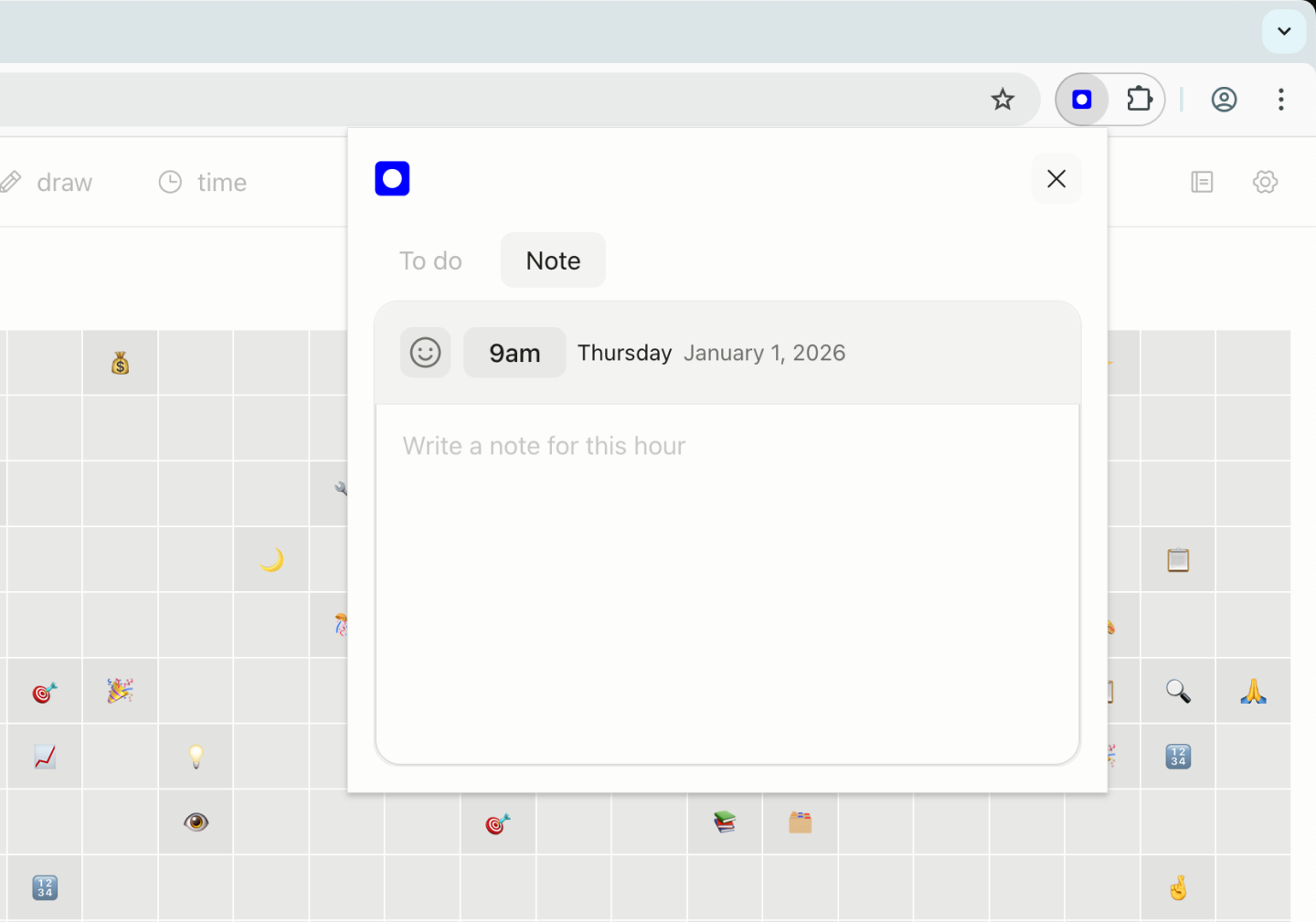
This just makes it faster to quickly jot a note or paste some text without needing to switch windows or tabs. If you are already writing a note for this hour, it will display here and you can keep editing it.
The popup remembers which tab you last used (To do or Notes), so it opens to whatever you were working on. Small thing, but it saves a few clicks throughout the day.
Hour Column for the Calendar
Some people love seeing the hour labels (12 AM, 1 AM, etc.) while viewing the calendar. Others found it distracting.
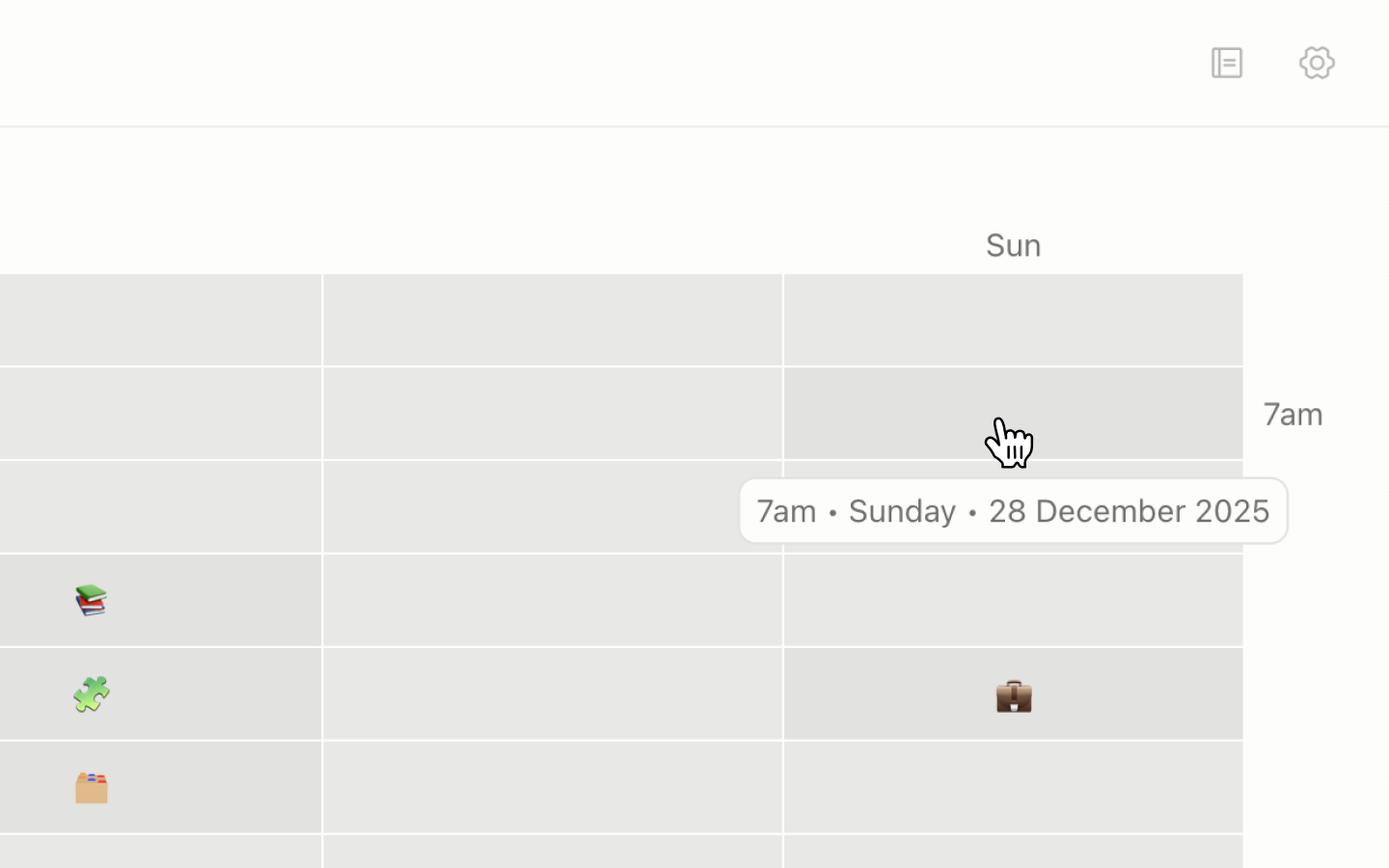
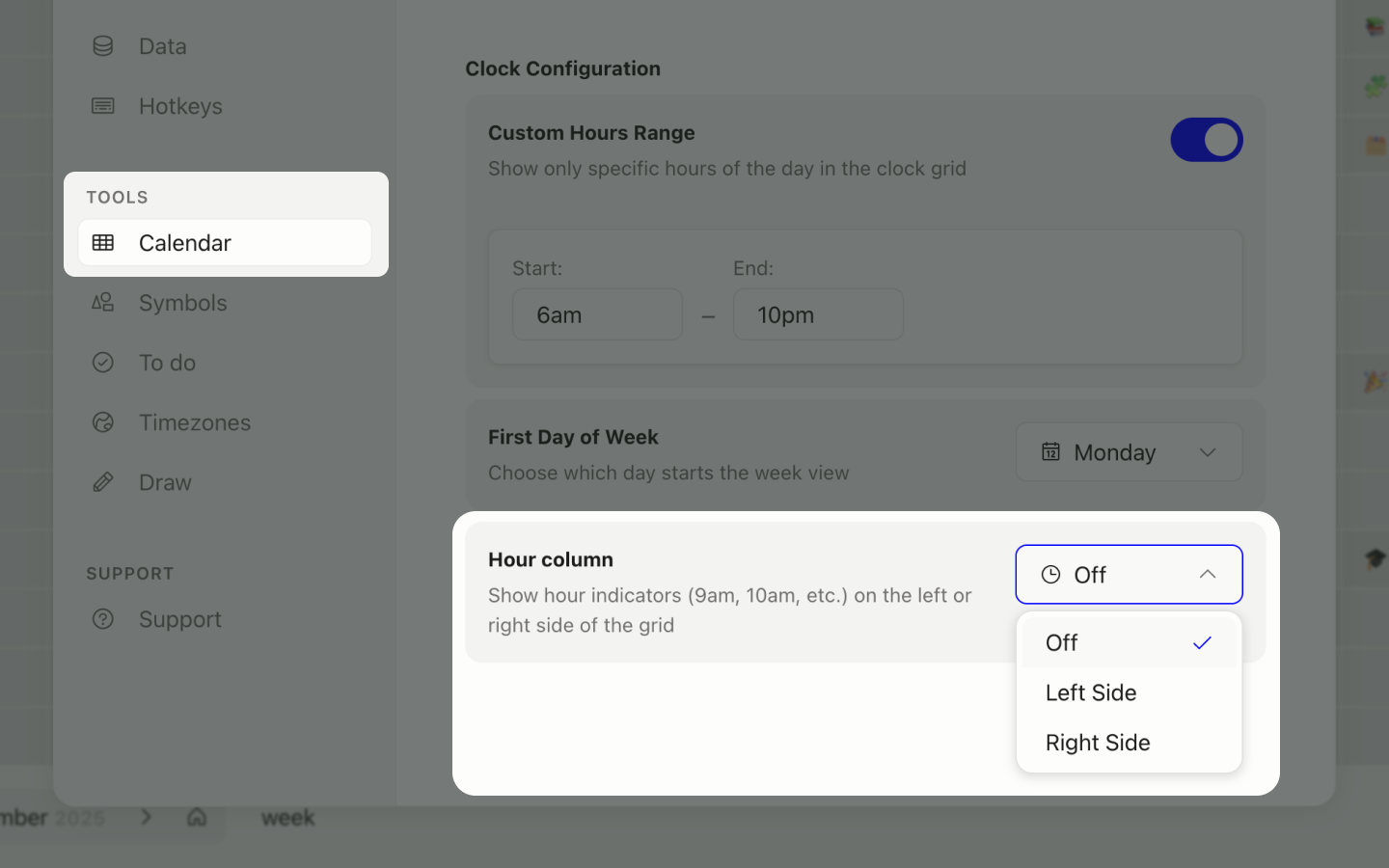
Now you can toggle an optional hour column on or off in Settings → Calendar → Hour column. If you turn it on, you can also choose whether it appears on the left or right side of the grid.
It’s off by default, so nothing changes unless you want it.
Calendar Filtering
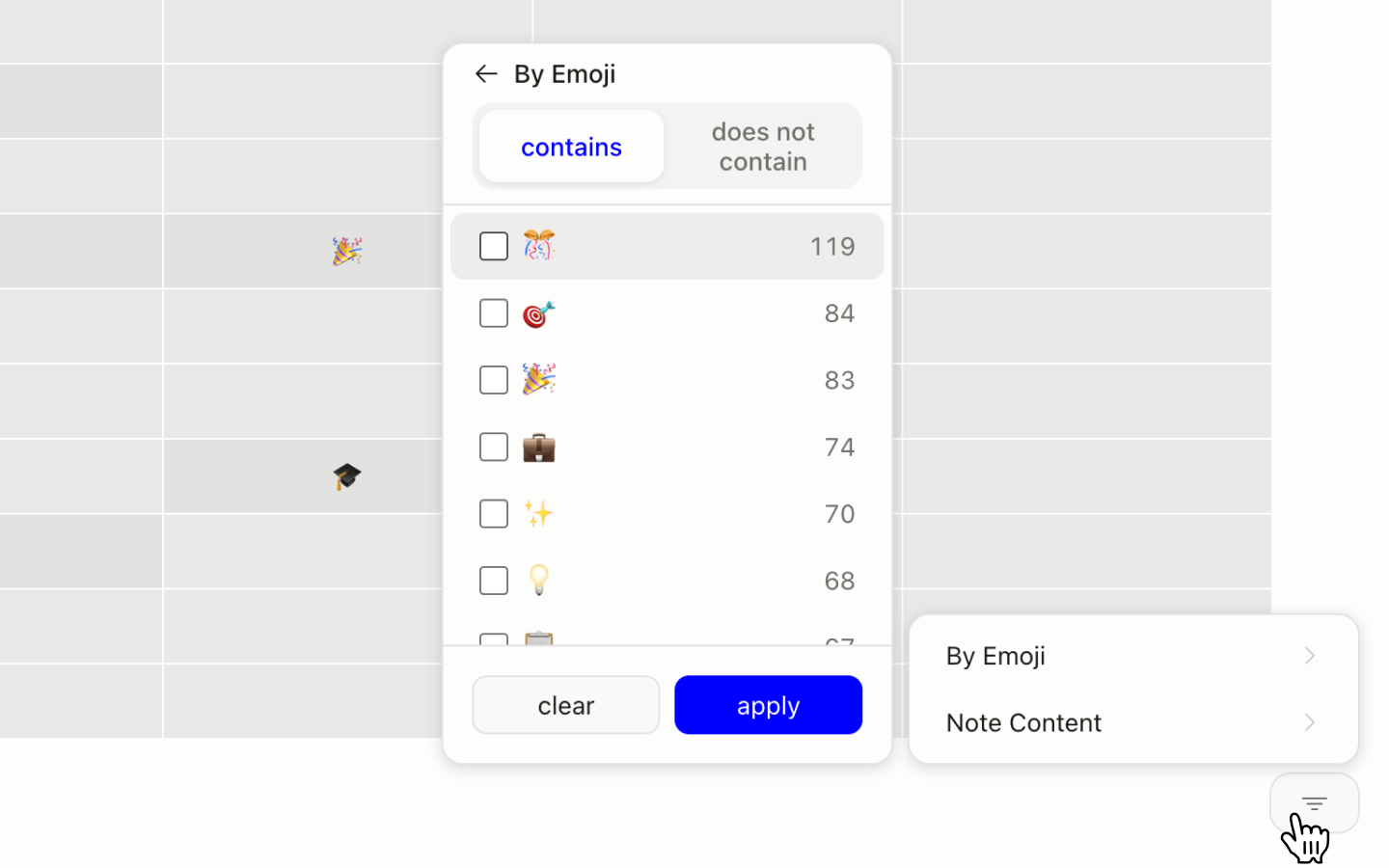
You can now filter your calendar by text or emoji. The emoji filtering also doubles as a count of how many times you’ve used each emoji across all calendar items.
This is version one of filtering, so it’s pretty basic right now. Type a search term or emoji, and the calendar highlights matching hours. Useful if you’re looking for specific notes or patterns in how you’ve been spending time.
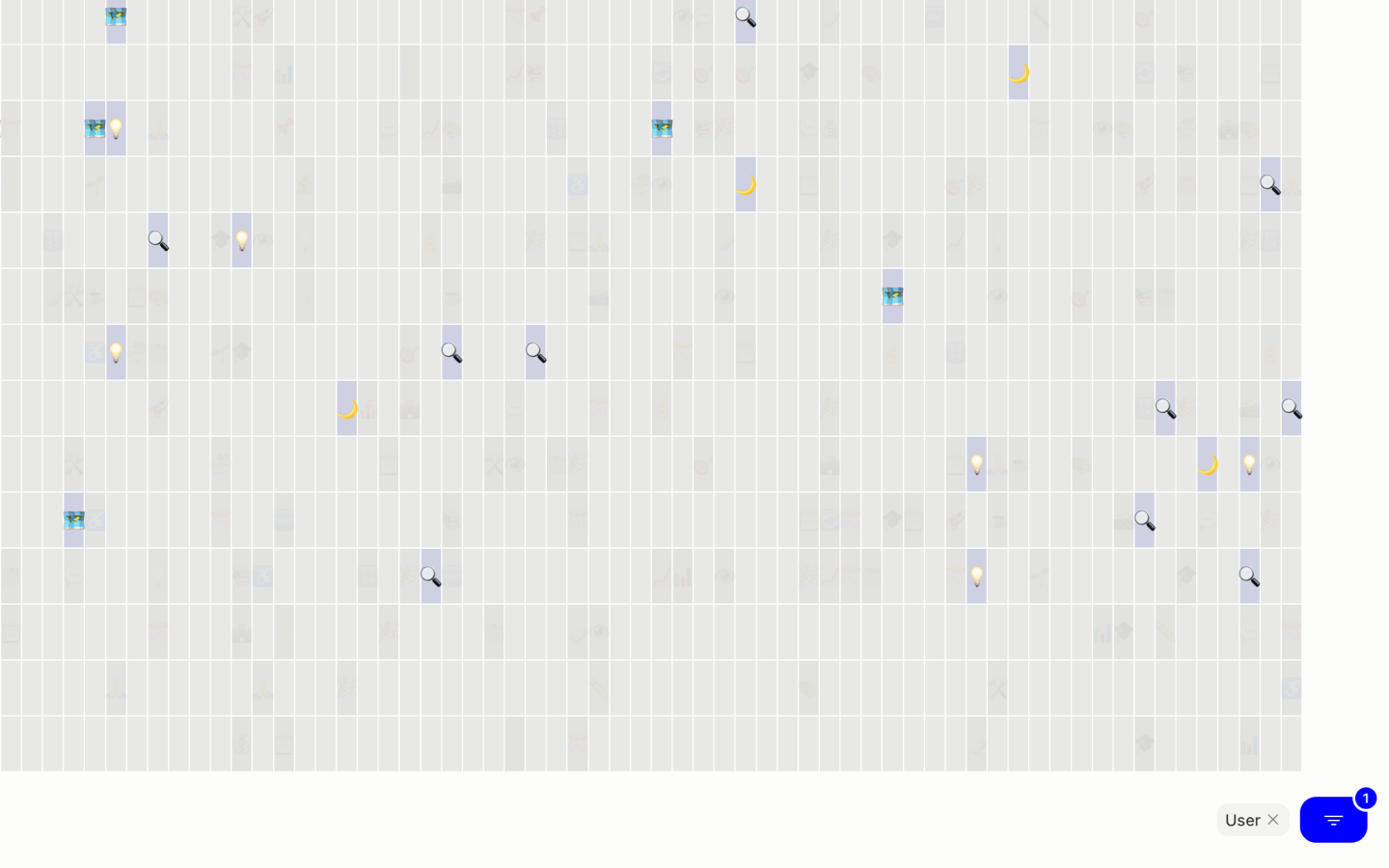
Planning to expand this with tag-based filtering and more options in future updates.
Bug Fixes
Timezones:
- Fixed a bug where custom timezone names that were too long would break the entire timezone grid layout. Long names now truncate and show a tooltip on hover.
Bookmarks:
- Fixed inconsistent bookmark card sizing when adding new bookmarks.
- Fixed the emoji picker closing unexpectedly when adding or editing a bookmark emoji.
Notes:
- Fixed an issue where pasting text into notes would carry over formatting (bold, italics, etc.). Notes are plain text only now.
Updates
Notes:
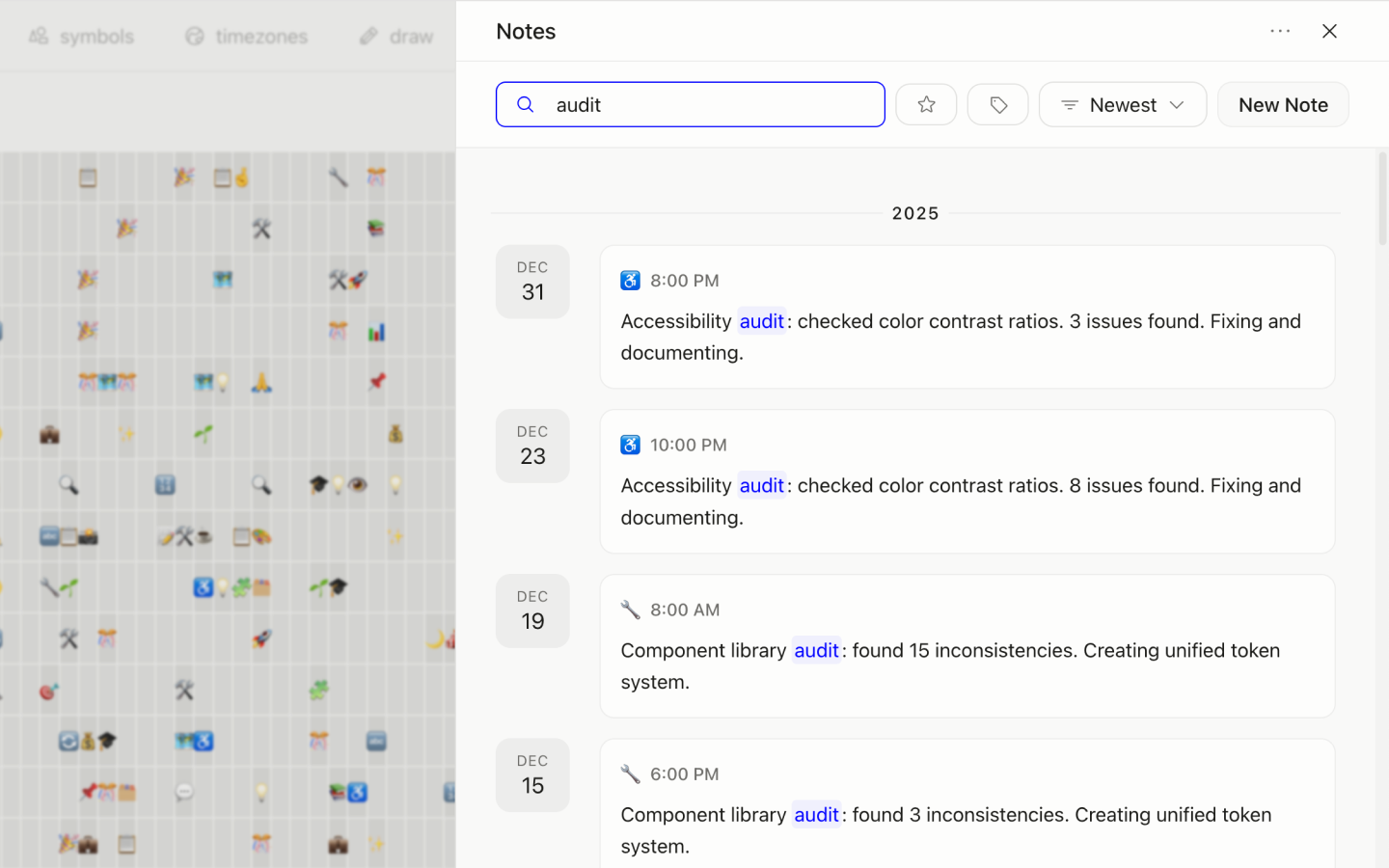
- When searching for a note, your search query is now highlighted in the results. Makes it easier to scan through matches.
What’s Next
I’m working through a few feature requests and doing some UI polish, as well as addressing some UX rough edges people have mentioned.
If you’re testing Tabba and run into bugs or have ideas, please email me at hey@tabba.so or submit a bug report here.
Ready to try Tabba?
Install Tabba and replace your new tab with a visual calendar grid, fast notes, and productivity tools.