Tabba replaces the default New Tab screen with a streamlined set of helpful tools.




Get started with Tabba:
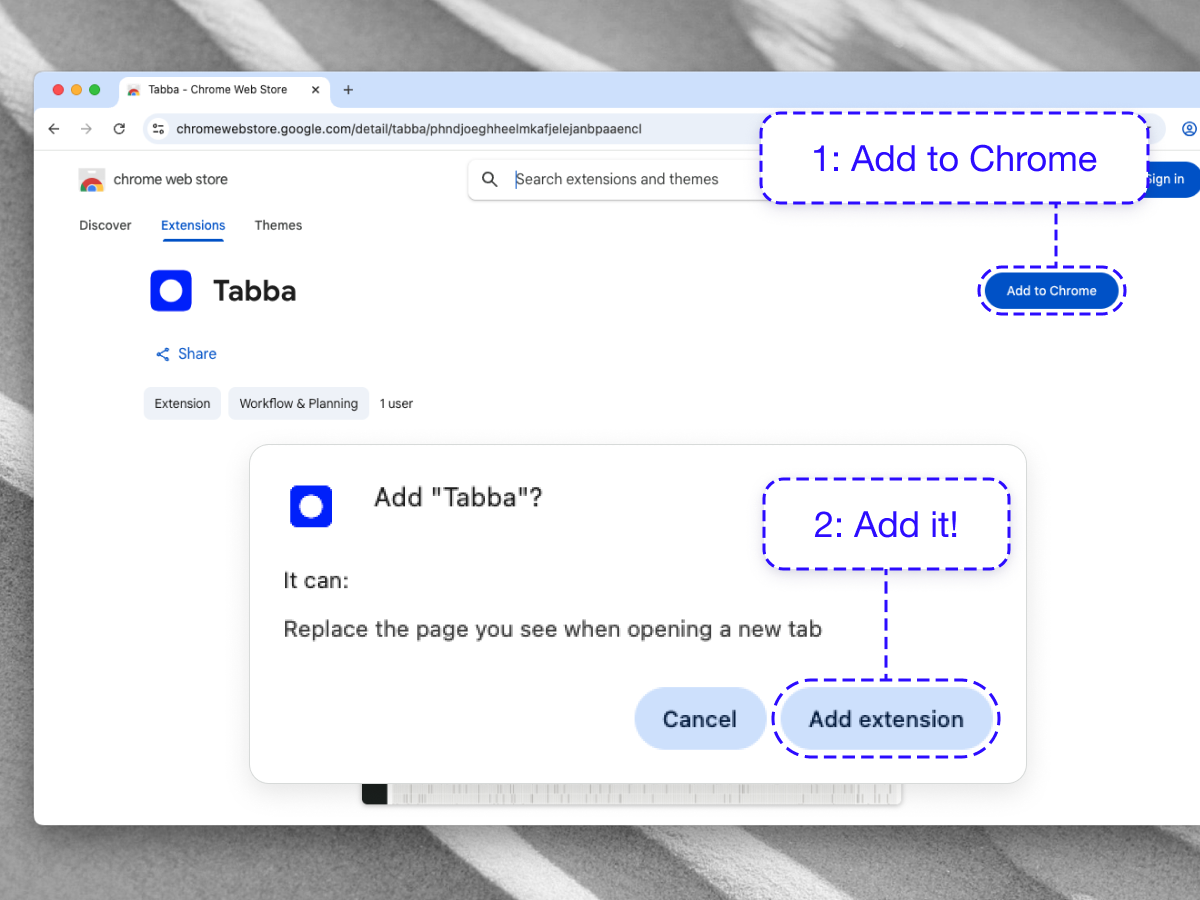
Install Tabba
Add it to your browser via the Chrome Web Store , or install it on Brave , Microsoft Edge , and Firefox .
Optional
You can "pin" Tabba to add it to your Toolbar to quickly create a new todo item.
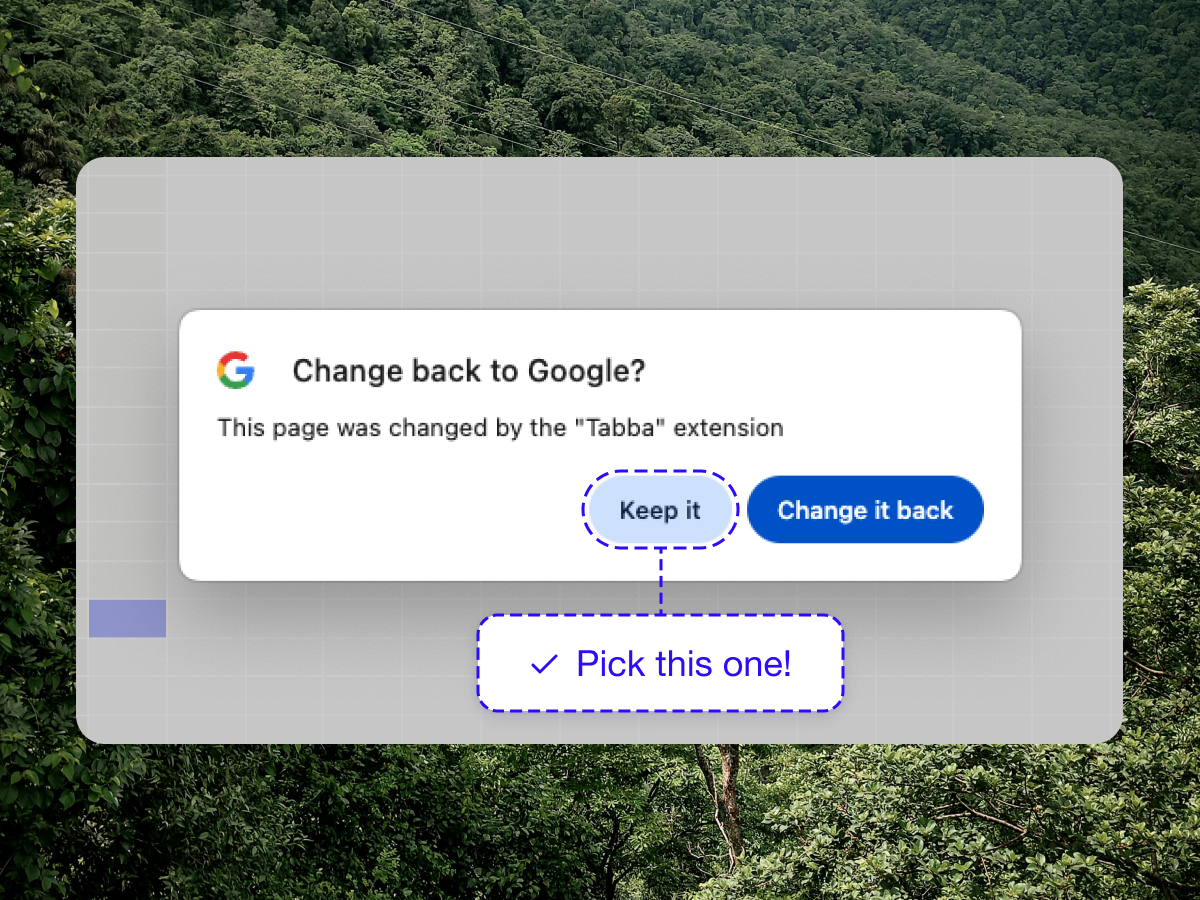
Keep the new tab replacement
When you open a new tab for the first time, you'll see an alert from Chrome telling you that your New tab screen has been replaced, select "Keep it".
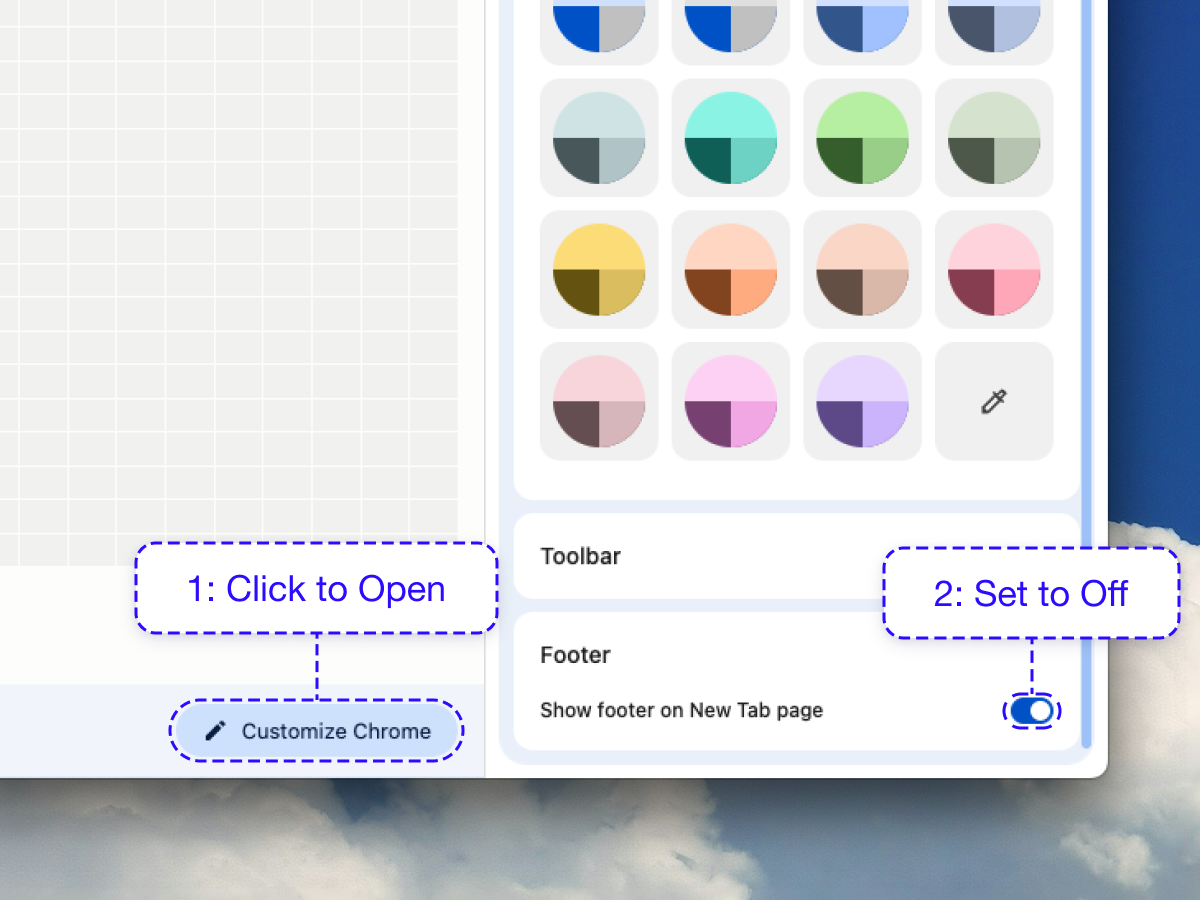
Customize Chrome settings
At the bottom of the screen, click the "Customize Chrome" button and scroll down to Footer, and toggle it off. Close the Customize Chrome side panel by clicking the "X" in the top right. Tabba is now installed.
Installing Tabba in 20 seconds
Ready to install Tabba?
Set up Tabba in seconds and replace your default new tab with a cleaner, more useful workspace.